June 3, 2026 • Declan Merritt • 9 min reading time • Prices verified June 17, 2026
Building a Camera Rig Without Blowing Your Gimbal's Payload Budget
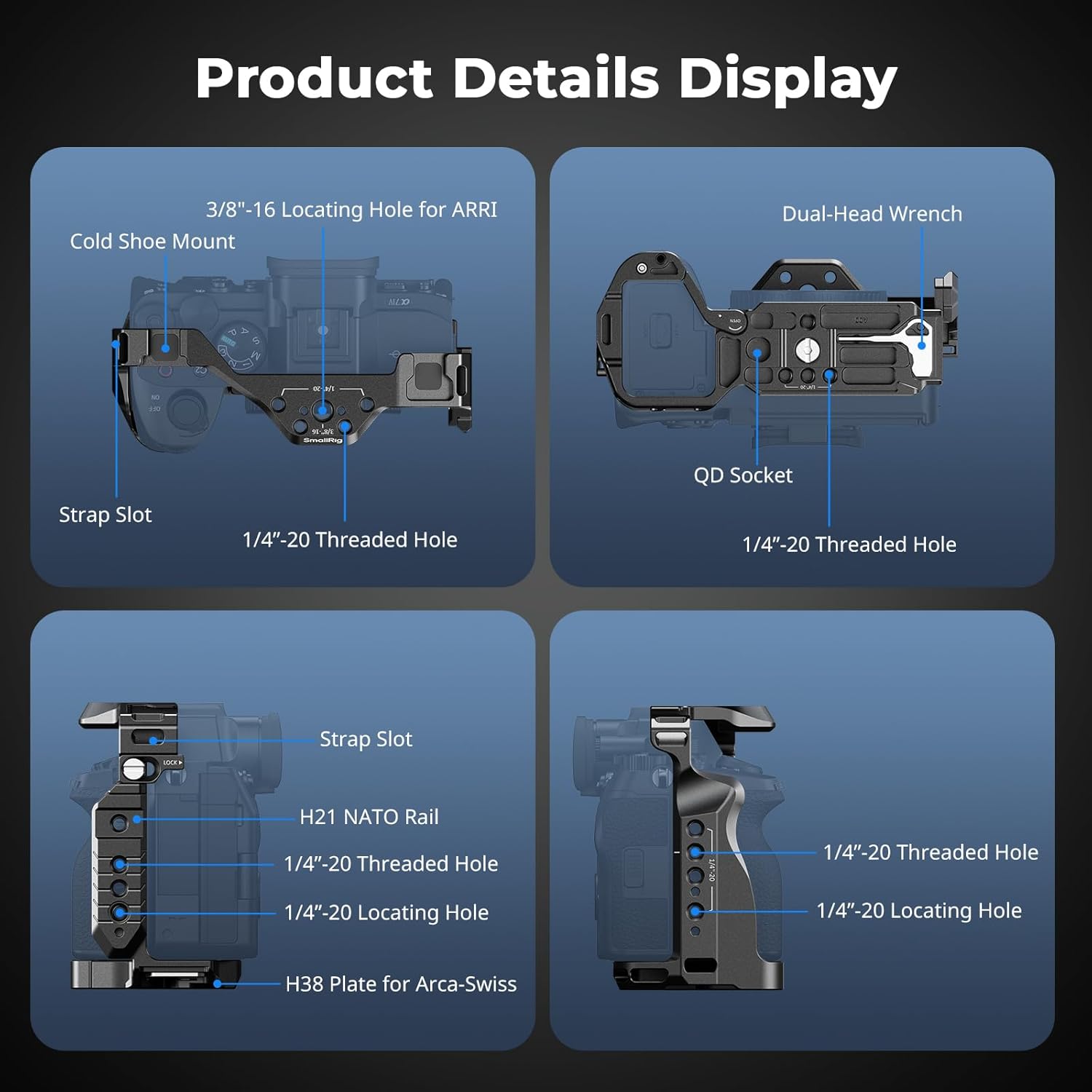
Every gimbal has a payload rating — that’s the maximum weight it’s designed to lift and stabilize without straining its motors. Add up your camera body, the lens on the front, and the cage or housing around it, and you’ve already consumed a significant portion of that budget before you’ve clipped on a single monitor or follow-focus unit. The trap most people fall into isn’t buying a gimbal that’s too weak — it’s building a rig that’s too heavy for the gimbal they already own. This guide walks you through the math of rig-building, accessory by accessory, so you can make deliberate choices before anything ships to your door. By the end, you’ll have a clear decision framework: what to keep, what to trim, and when it genuinely makes sense to step up to a higher-capacity head.
Why the Manufacturer Payload Number Is Already a Lie (Kind Of)
Payload ratings are real, but they describe an ideal operating envelope — not your actual working conditions. Cinema5D’s analysis of gimbal payload ratings (Cinema5D, “Gimbal Payload Ratings Explained — What Manufacturers Don’t Tell You”) notes that most manufacturers spec their maximum payload for a camera balanced directly over the gimbal’s center of mass, with weight distributed evenly, in moderate ambient temperatures, and with motors running at factory default torque settings. The moment you push weight forward (long telephoto), hang something off a NATO rail, or shoot in cold air that thickens motor lubricant, your effective payload ceiling drops.
A practical rule operators cite across long-run reviews: treat roughly 80 percent of the rated payload as your real usable ceiling. On a DJI RS 3 Pro — rated at 4.5 kg (approximately 9.9 lbs) per the product specifications listed on B&H Photo Video’s DJI RS 3 Pro product page — your working budget is closer to 3.6 kg (about 7.9 lbs). That’s the number you’re actually engineering toward.
By the numbers — DJI RS 3 Pro working payload example:
| Component | Approx. Weight |
|---|---|
| RS 3 Pro rated payload | 4.5 kg / 9.9 lbs |
| Practical 80% ceiling | ~3.6 kg / 7.9 lbs |
| Sony FX3 body (no lens) | ~0.71 kg / 1.57 lbs |
| Sony 24–70mm f/2.8 GM II | ~0.69 kg / 1.52 lbs |
| Tilta Nucleus-Nano II follow-focus | ~0.18 kg / 0.40 lbs |
| SmallRig cage (Sony FX3) | ~0.24 kg / 0.53 lbs |
| Running total | ~1.82 kg / 4.02 lbs |
| Remaining budget | ~1.78 kg / 3.92 lbs |
That remaining budget sounds generous until you price a field monitor, a top handle with cold shoe accessories, and a matte box. Those three items alone can run 600–900 grams depending on brand. You’ll use it up faster than you expect.
Building the Stack: Which Accessories Cost the Most Weight
Premium Beat’s camera cage guide (Premium Beat, “Camera Cage Guide — Everything You Need to Know”) identifies the cage itself as one of the most underestimated weight contributors on a rig, because buyers evaluate cages by price and rail compatibility rather than by mass. Here’s how the common categories break down, based on published product specifications:
Camera Cage Entry-level aluminum cages (SmallRig, Ulanzi) typically run 180–280 grams. A Wooden Camera Director’s Cage or a full-cage system from Bright Tangerine will add 400–700 grams depending on configuration, per weight specifications listed on B&H Photo Video’s Wooden Camera Director’s Cage product page. That’s not a knock on premium build quality — it’s a tradeoff you need to price explicitly.
Follow-Focus System A lightweight wireless follow-focus like the Tilta Nucleus-Nano II comes in around 180 grams. A full Tilta Nucleus-M or a Redrock Micro system with a motor, handwheel, and drive gears can push past 600 grams on the rig.
On-Camera Monitor A 5-inch monitor like the Atomos Shinobi sits around 170 grams. Step up to a 7-inch SmallHD Focus 7 or a Feelworld LUT7S and you’re looking at 450–600 grams, plus the arm or mount hardware.
Matte Box A lightweight clip-on matte box (Tilta MB-T12, for example) runs roughly 300–400 grams with filters. A full swing-away matte box from Bright Tangerine or Vocas — the kind that makes commercial work look polished — can add 700 grams to 1.1 kg depending on filter count.
Wireless Transmitter / Recorder An Atomos Shogun or a Hollyland Mars 4K transmitter typically adds 200–450 grams, often mounted off-camera on a 15mm rod riser, which itself adds weight.
No Film School’s rig-building guide (No Film School, “How to Build a Balanced Camera Rig for Under $500”) makes the point plainly: most operators undercount by 20–40 percent because they calculate camera and lens weight carefully, then hand-wave the “small stuff.” The small stuff is where you blow the budget.
The Counterbalance Cascade: Why Heavy Accessories in the Wrong Place Hurt More Than Total Weight
Total mass is only half the problem. Where you mount accessories on the rig determines how hard your gimbal’s motors work to hold a neutral position. A gimbal counterbalances tilt (the pitch axis) by assuming a certain center-of-gravity relationship between the camera’s front-to-back mass distribution and its top-to-bottom distribution. When you add a monitor up high on a top handle, you shift the center of mass upward. When you hang a follow-focus motor on a forward rod, you shift it forward. Each shift forces the gimbal’s motors to compensate continuously, which increases heat buildup, shortens battery life, and accelerates motor wear even at total weights technically within spec.
Operators in long-run reviews of the Tilta Hydra Alien jib and similar support systems consistently flag the same pattern: a 3.2 kg rig that’s poorly balanced will strain a 4.5 kg-rated gimbal harder than a 3.8 kg rig that’s well-centered. Per Tilta’s published guidelines for the Hydra Alien, as listed on B&H Photo Video’s Tilta Hydra Alien product page, center-of-gravity consistency across lens changes is a listed best practice for maintaining stabilization accuracy — not just a nice-to-have.
The practical implication: if you’re adding a monitor, put it as close to the camera’s optical axis as possible, not extended high on a cold shoe arm. If you’re running a matte box, prefer lightweight clip-on designs over rod-supported systems when gimbal use is the primary deployment.
How to Audit Your Current Rig Before You Buy Anything New
The most reliable pre-purchase tool costs nothing extra beyond a kitchen or postal scale with at least 5 kg capacity and 5-gram resolution (available for under $30 from most retailers). Weigh your assembled rig — camera, lens, cage, everything you currently run — before you add the new accessory. Then weigh the accessory itself. Add them. Compare to your 80-percent-of-rated-payload ceiling. That’s the whole methodology.
A few operator habits worth building:
Maintain a rig manifest. A simple spreadsheet with component, weight, and mounting position takes ten minutes to build and saves hours of troubleshooting later. When a client asks you to add a wireless transmitter to a rig you’re renting out, you’ll know in thirty seconds whether the gimbal can handle it.
Track lenses separately. Your cage weight is fixed; your lens weight isn’t. A Sony FX3 with a 24mm f/1.4 prime is a very different rig than the same body with a 70–200mm f/2.8. Operators who work across focal lengths should calculate their heaviest likely lens combination, not their average one.
Budget for rigging hardware. 15mm rod segments, cheese plates, cold shoe mounts, NATO rails — none of these are heavy individually, but aggregated they regularly add 150–300 grams to a rig that wasn’t designed to carry them. Published spec comparisons between bare-cage and fully-rigged configurations from SmallRig and Wooden Camera frequently show this gap.
When to Step Up, When to Strip Down, and When to Rent the Difference
Here’s the explicit decision framework this article is building toward.
If your assembled rig is under 75 percent of rated payload: You have room to add. Prioritize accessories by creative value — a good monitor improves every shot; a wireless transmitter may only matter on specific gigs.
If your rig sits between 75 and 90 percent of rated payload: You’re in the zone, but you’re close enough to the margin that your next lens purchase or accessory decision needs to be intentional. Don’t add a heavier matte box without removing something else, or without confirming your gimbal’s motor torque settings can be increased to accommodate.
If your rig is already at or above 90 percent of rated payload: Stop adding accessories and start auditing what’s already there. The most common culprits operators identify for unnecessary weight at this stage: a cage that’s two generations old and heavier than current options, a wired follow-focus motor that could be replaced with a lighter wireless unit, and a full-sized on-camera monitor when a smaller field monitor would serve equally well.
The rent-vs-upgrade crossover: If a single commercial job requires a heavier, more capable gimbal — say, a full DJI RS 3 Pro configuration can’t carry a cinema camera with a broadcast zoom — renting a higher-capacity head for that specific job is almost always cheaper than buying up to the next tier. The crossover into ownership math only tips when recurring use makes the annualized cost of the rental exceed the annualized depreciation of the purchase. If the rental cost is less than 15–20 percent of the purchase price and you’re booking that configuration fewer than five to six times per year, renting is the economically sound call.
The Payload Budget Is a Creative Constraint — Treat It Like One
Every pound of gimbal payload you spend on rigging hardware is a pound you can’t spend on glass, on a heavier camera body, or on a longer lens that changes what you can shoot. The strongest operating discipline isn’t knowing which accessories exist — it’s knowing exactly what each one costs against a finite budget, and making that tradeoff consciously instead of by accident.
Build your rig manifest. Weigh everything. Apply the 80-percent ceiling. When you’re ready to cross-reference your calculated rig weight against manufacturer-rated payloads on specific gimbal models, B&H Photo Video’s individual gimbal product pages list payload specifications alongside current pricing — searching by stabilizer model name is the fastest way to pull up the exact numbers and reality-check whether your current rig fits a target gimbal, or whether you need to have an honest conversation with yourself about what to strip out first.