May 18, 2026 • Declan Merritt • 8 min reading time • Prices verified June 17, 2026
Payload Confusion Solved: Matching Your Camera-Gimbal Rig Without Guessing
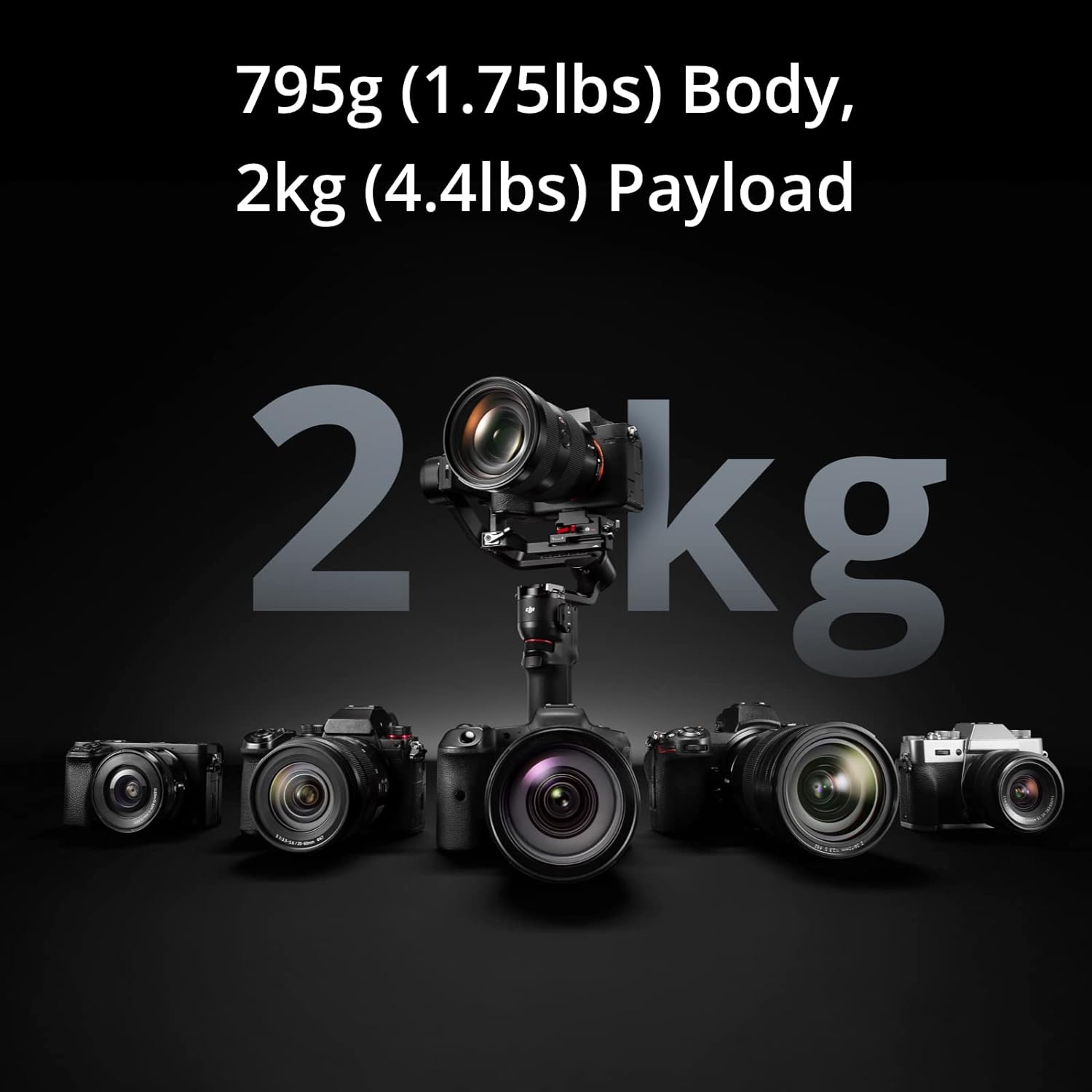
If you’ve ever set up a new gimbal, spent twenty minutes balancing it, pressed record — and watched your footage look like someone filmed it during an earthquake, you’ve probably been a victim of payload confusion. “Payload” just means the total weight your gimbal’s motors are asked to stabilize. Get that number wrong — even by half a pound — and the motors fight themselves, overheat, and deliver footage that no amount of color grading can fix. This guide walks you through exactly how to calculate your real system weight, what manufacturers actually mean when they publish a payload spec, and how to match the two without guessing. Whether you’re building your first mirrorless rig or evaluating a cinema-class stabilizer for a commercial shoot, the math here is the same.
| EDITOR'S PICK[DJI RS 4](https://www.amazon.com/dp/B07FTDB2BJ?tag=greenflower20-20) | Mid-tier[DJI RS 3 Mini](https://www.amazon.com/dp/B0BLD1KBHQ?tag=greenflower20-20) | Budget pick[FeiyuTech SCORP-C Gimbal Stabil…](https://www.amazon.com/dp/B09TPBK4RQ?tag=greenflower20-20) | |
|---|---|---|---|
| Tested Payload | — | 2 kg (4.4 lbs) | 5.5 lbs |
| Vertical Shooting | 2nd-Gen Native Vertical Shooting | Native Vertical Shooting | — |
| Joystick | 2-Mode Switch Joystick | — | — |
| Axis Arm Material | Teflon Axis Arms | — | — |
| Price | $469.00 | $199.00 | $189.00 |
| See on Amazon → | See on Amazon → | See on Amazon → |
Why Manufacturer Payload Numbers Are Optimistic (and What They’re Actually Measuring)
Manufacturers rate gimbals under controlled conditions that rarely resemble how you’ll use one on set. Per the DJI RS 3 Pro product specifications page, the RS 3 Pro carries a rated payload of 3 kg (6.6 lbs). That sounds generous — until you realize DJI is measuring that capacity with the camera body alone, perfectly balanced, at room temperature, with motors running at nominal load.
No Film School’s editorial overview of gimbal selection makes this point directly: rated payload is a ceiling, not a comfort zone. Operators consistently report that gimbals running at or near their rated maximum produce noisier stabilization, burn through battery faster, and struggle on long takes where motor temperature climbs. The practical guidance that emerges from aggregated operator experience is a 70–80% load rule: your real system weight should sit at no more than 75% of the rated payload for reliable, all-day performance.
Here’s why this matters in practice. You’re not just mounting a camera body. You’re mounting everything attached to it:
- Camera body
- Lens (zooms add variable weight as glass elements shift)
- Follow-focus motor and gear ring
- Matte box (even a lightweight 4×4 matte box from Bright Tangerine runs 400–600g)
- Wireless lens control receiver
- On-board monitor or EVF
- ND filter(s)
- Cage or top handle
- Any cables plugged into the body
Every item on that list draws from the same payload budget. PremiumBeat’s complete guide to camera gimbals flags this as the most commonly missed step in rig planning: operators weigh the camera, forget the accessories, and discover the problem only after the gimbal is already purchased.
The Right Way to Calculate Your Real System Weight
You need a postal or kitchen scale that reads in grams or ounces — not a rough guess based on manufacturer body-weight specs. Camera manufacturers publish body-only weight without battery, without memory card, and sometimes without a grip. Those numbers are underestimates by design.
Build the rig first. Weigh it assembled.
The sequence:
- Mount your camera body with battery and cards installed.
- Attach your primary lens — the one you’ll actually use on this job, not your lightest prime.
- Add the cage, top handle, or cheese plate you’re running.
- Mount every accessory you plan to fly: follow-focus motor, matte box, wireless receiver, on-board monitor.
- Weigh the complete assembly on a postal scale.
- Divide that number by 0.75. The result is the minimum rated payload you need from a gimbal.
By the numbers:
| Component | Example Weight |
|---|---|
| Sony FX3 body + battery | 715g |
| Sigma 24–70mm f/2.8 DG DN | 830g |
| SmallRig cage + top handle | 320g |
| Tilta wireless follow-focus motor | 145g |
| Total system weight | 2,010g (4.4 lbs) |
| Required gimbal rating (÷ 0.75) | ~2,680g (5.9 lbs) |
That rig — a perfectly reasonable mirrorless cinema setup — needs a gimbal rated for at least 5.9 lbs to stay inside the 75% rule. The DJI RS 3 Pro’s 6.6 lb rating clears it by a small margin. The RS 3 (non-Pro), rated at 3 kg / 6.6 lbs on paper but with a physically smaller motor block, would be running at its ceiling. Operators at Cinema5D’s RS 3 Pro editorial analysis note that the performance difference between the two units becomes visible precisely in this weight range — the Pro’s larger motors handle the load with less perceptible noise in the stabilized output.
Tradeoffs by Rig Category: Where the 75% Rule Gets Complicated
The math above is clean when your rig is fixed. It gets messier in three common real-world scenarios.
Zoom lenses with heavy front elements. A 24–70mm zoom shifts its center of gravity as you push to the telephoto end. The total weight doesn’t change, but the balance point moves forward, increasing the torque load on the tilt axis motor. Operators using longer zooms consistently report needing to re-balance mid-shoot or work with more aggressive motor strength settings — both of which draw from your effective payload headroom. If zoom lenses are central to your workflow, apply a 65% load rule instead of 75%.
Cinema bodies and large-format sensors. Once you move into BMPCC 6K Pro territory (~900g body) or Sony VENICE territory (2.6 kg body alone), you’re not shopping in the RS 3 Pro tier anymore. The Tilta Hydra Alien Jib’s product documentation specifies a payload capacity of 7 kg (15.4 lbs) for its gimbal head configuration — purpose-built for exactly these rigs where the camera body alone consumes half the budget before a lens is attached. At this level, per-axis motor ratings become as important as total payload figures. Ask manufacturers for per-axis torque specs, not just the headline number.
Changing lens kits between setups. If you’re swapping from a 35mm prime to an 85mm telephoto between shots, your balance changes even if your total weight stays similar. Gimbals with tool-free quick-release balance adjustment (Edelkrone’s FlowCine Black Arm integration points, or DJI’s Arca-Swiss compatible quick-release plates) handle this faster on set. The hidden cost of lens swaps isn’t weight — it’s time. On a commercial shoot, re-balancing a poorly matched gimbal between setups eats into your shooting window in ways that don’t show up on a spec sheet comparison.
The Buy vs. Rent Decision When Payload Pushes You Up a Tier
Here’s where the decision tree matters. If your calculation shows your rig needs a gimbal rated above 10 lbs — you’ve crossed into a tier where the hardware price jumps significantly. As of mid-2026 pricing on B&H Photo’s gimbal category listings, the gap between a $700–$900 prosumer gimbal (DJI RS 3 Pro range) and a $2,500–$4,500 cinema-grade motorized head is real and abrupt.
The financial crossover question: if a heavy cinema rig is an occasional requirement — one or two jobs per quarter — renting is almost always the right call. A professional gimbal head in the $3,000–$4,500 purchase range typically rents for $150–$250 per day at full-service rental houses. If you’re using it three days a year, you’re looking at $450–$750 in annual rental costs versus a four-figure purchase that also carries depreciation risk as the technology updates.
The crossover point where purchase beats rental is generally around 15–20 shooting days per year at that payload tier — assuming the gear holds its value and you’re not immediately chasing the next motor generation. No Film School’s gimbal selection overview frames this as the clearest version of the buy vs. rent question in stabilizer gear: payload requirements that exceed your current rig are a rental trigger, not necessarily a purchase signal.
The if/then decision rule:
- If your system weight lands below 75% of a gimbal you already own or are considering: you’re matched. Buy with confidence.
- If your system weight is 75–90% of a rated payload: you’re in the functional range but have no headroom for accessories or lens changes. Consider whether your rig is likely to grow.
- If your system weight exceeds 90% of a rated payload: do not buy that gimbal for this rig. You will see motor strain, reduced battery life, and degraded stabilization quality.
- If your system weight pushes you into a tier where the purchase price exceeds $2,500 and your shooting days at that payload are fewer than 15/year: rent, don’t buy.
Ecosystem Lock-In: The Hidden Cost of Getting the Payload Wrong
One more consideration that doesn’t show up in a weight calculation: the accessory ecosystem you’re committing to when you buy a gimbal. Edelkrone’s SliderPLUS ecosystem, DJI’s RS series, and Tilta’s Hydra line all have proprietary mounting systems, quick-release standards, and software integrations that don’t transfer between brands.
If you buy an RS 3 Pro today because it technically clears your payload by a small margin, and your rig grows in six months — a heavier lens, an added wireless transmitter — you may find yourself buying upward within the DJI ecosystem or abandoning the accessories you’ve accumulated. Cinema5D’s editorial analysis of the RS 3 Pro line notes that operators who run near the rated payload ceiling consistently report they wish they had bought one tier higher at the outset.
The payload number isn’t just about today’s rig. It’s about the rig you’ll be running in eighteen months.
Next Step: Build Your Weight Spreadsheet Before You Buy
Before you evaluate a single gimbal spec, get your complete assembled rig on a scale. Write down every component and its weight. Run the 75% math. That number — not the manufacturer headline spec, not a forum recommendation for “a Sony FX3 rig” — is your actual shopping filter.
If you’re ready to compare gimbals against your calculated payload requirement, B&H Photo’s gimbal category (bhphotovideo.com) lists per-axis motor specs alongside rated payload for most current models, which gives you a more complete picture than headline numbers alone. Match your number to the spec, apply the 75% rule, and you’ll spend less time re-balancing on set and more time shooting.