September 3, 2026 • Declan Merritt • 12 min reading time • Prices verified June 17, 2026
Field Monitor Mounting Systems Compared: Magic Arms, Cold Shoes, and Quick-Release NATO Mounts
If you’ve ever watched your on-set monitor droop mid-take, or spent two minutes unscrewing a wing-nut just to reposition your display, you already understand why monitor mounting deserves more thought than it usually gets. An external field monitor is a screen — separate from your camera’s built-in display — that lets you see a larger, color-accurate image of what your lens is capturing. The way you attach that monitor to your camera rig determines how fast you can reposition it, how stable it stays during a moving shot, and whether it survives a day of run-and-gun production without drifting out of frame. This article breaks down the three dominant mounting systems — magic arms (articulating arms with a clamping knob), cold shoe mounts (a simple sliding metal bracket that locks your monitor directly onto your camera’s accessory shoe), and NATO quick-release mounts (a standardized rail-and-clamp system that snaps monitors on and off a cage or gimbal handle in seconds). By the end, you’ll have a clear decision framework for your current rig and shooting style.
| EDITOR'S PICKSMALLRIG Adjustable Camera Moni… | Mid-tierSmallRig Adjustable Camera Moni… | Budget pickSMALLRIG Clamp w/ 1/4" and 3/8"… | |
|---|---|---|---|
| Mount type | NATO clamp + shoe | ARRI-style | 1/4" & 3/8" thread |
| Swivel | — | 360° | — |
| Tilt | — | 180° | — |
| Monitor support | — | 5" and 7" | — |
| Arm included | ✗ | — | ✓ |
| Arm length | — | — | 9.8 " |
| Price | $35.19 | $31.99 | $19.99 |
| See on Amazon → | See on Amazon → | See on Amazon → |
Cold Shoe Mounts: The Fastest Path to a Monitor — With Real Limits
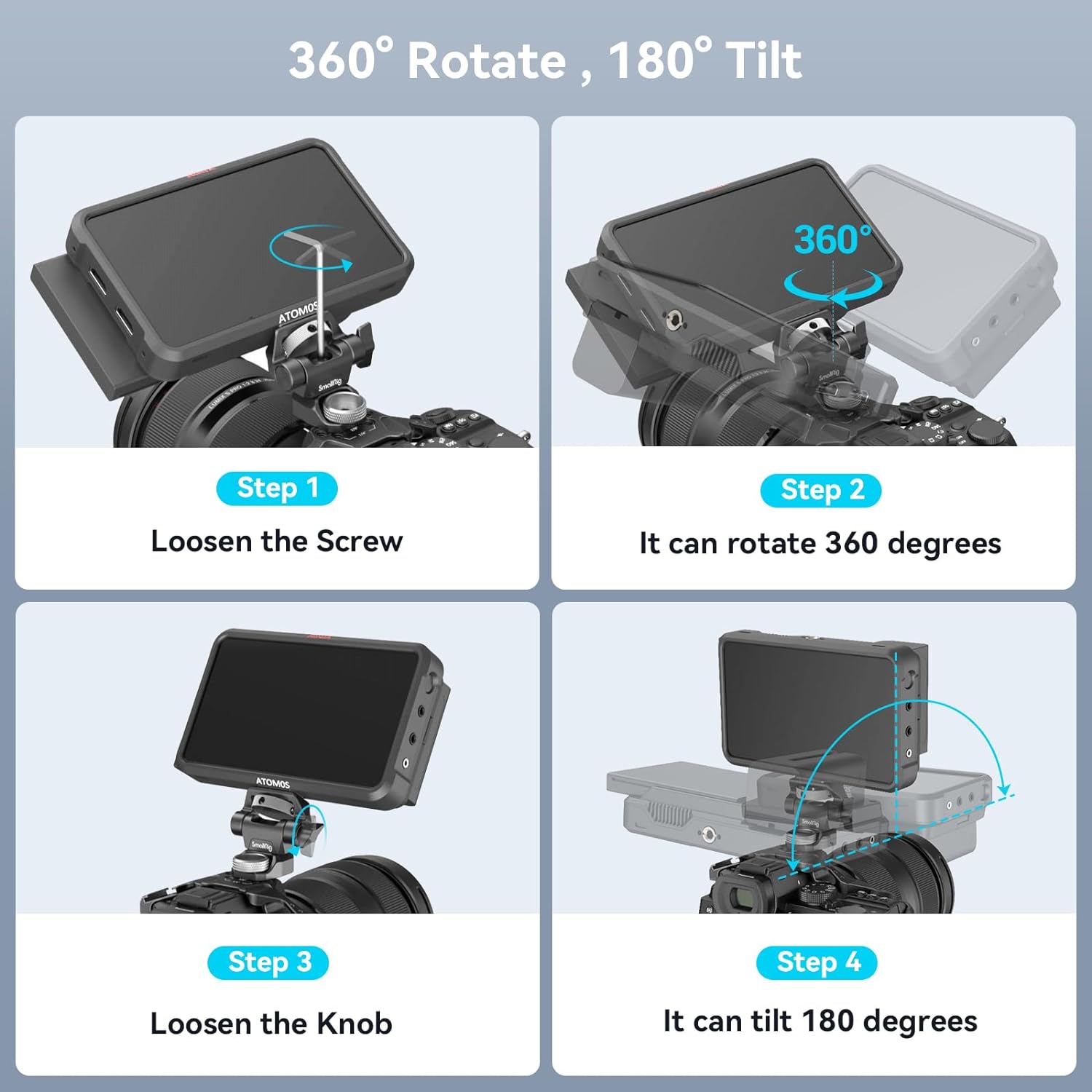
The cold shoe is the rectangular slot on top of most camera bodies and cages. It’s called “cold” because it carries no electrical signal — it’s purely mechanical. A cold shoe monitor mount slides into that slot, locks down with a thumbscrew, and your monitor is attached. That’s the appeal: zero tools, near-zero weight penalty, and no extra articulation hardware to carry.
For vloggers, solo shooters running a mirrorless body on a lightweight cage, and any setup where the monitor lives directly above the lens axis, cold shoe works well. Cinema5D’s field monitor rigging guide notes that cold shoe positioning is the default for run-and-gun documentary work precisely because there are no moving parts to loosen under vibration.
The tradeoff is positioning. Your monitor goes where the shoe is — usually centered above the camera body — and that’s essentially the only place it goes. If you’re operating a gimbal and the handle blocks your sightline, or you need the monitor angled toward a camera operator standing off-axis, a cold shoe gives you nothing. Some mounts add a small ball-head swivel above the shoe connection, which helps with tilt, but you’re still locked to that mounting point.
Where cold shoe falls short in a professional context: payload ratings on cold shoe mounts are typically listed at 500 grams or under. A 5-inch monitor like the Atomos Shinobi sits around 200–230 grams unboxed. Add a sun hood, an HDMI cable with any tension on it, and you’re approaching that ceiling quickly. B&H Photo Video’s product Q&A threads for several cold shoe monitor brackets consistently surface the same concern: users report that monitors over 400 grams — especially when a cable adds lateral pull — can cause the joint to creep over the course of a day.
Cold Shoe: Best For Lightweight Mirrorless Rigs
Cold shoe mounts occupy the entry tier of the monitor mounting ecosystem. They cost the least, add the least bulk, and require zero setup time. The tradeoff is that you are fully locked to a single mounting position and a sub-500-gram payload ceiling. For a vlogger running a 5-inch monitor on a compact mirrorless body, there is no faster or simpler solution. For anyone who needs the monitor off-axis, at distance, or on a gimbal handle with frequent repositioning, cold shoe is the wrong tool from the start.
SMALLRIG
$19.99
In stock on Amazon
Check price on AmazonMagic Arms: Maximum Flexibility, Maximum Patience Required
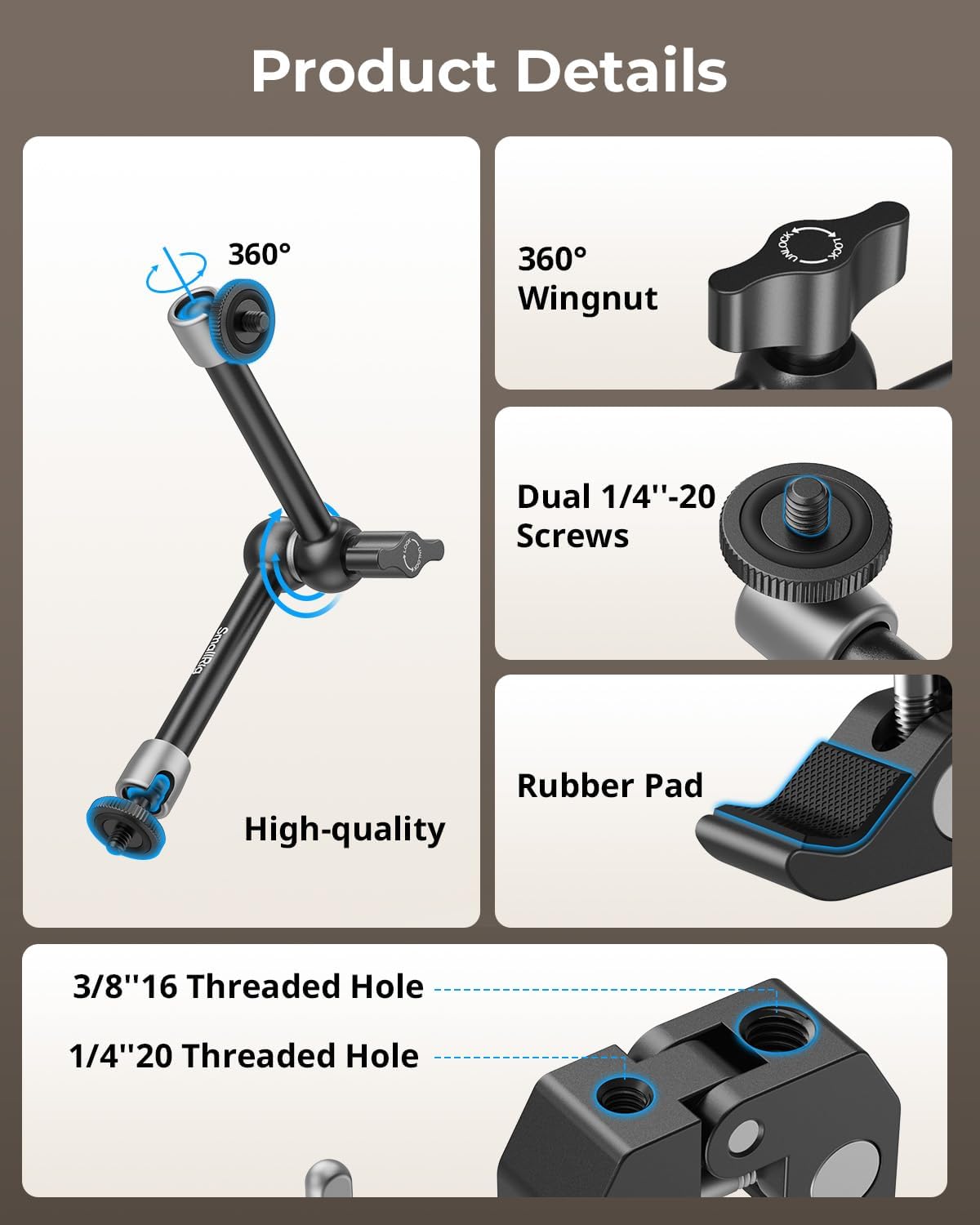
A magic arm (sometimes called an articulating arm) is a two-section adjustable arm with ball joints at each end and a locking knob — sometimes one central knob, sometimes two independent knobs — that clamps everything rigid when tightened. Attach one end to a rail, cage, or light stand, attach the monitor to the other end, and you can position the display at nearly any angle or distance within the arm’s reach.
B&H Photo Video’s product listings and buyer Q&A threads for articulating monitor arms reveal a consistent pattern: metal-construction arms earn praise for rigidity with zero flex once fully locked. The recurring frustration noted across multiple entries is the center joint’s toothed design. Unlike a smooth ball joint, a toothed mechanism requires unscrewing the knob further than you’d expect before the arm moves freely — it can feel like the joint is still stuck when it’s actually mid-detent. Operators who factored this into their workflow report no ongoing issues; those who expected it to behave like a smooth ball-head found the learning curve frustrating.
The Rosette magic arm variant — where one or both ends terminate in a Rosette mount (a toothed circular interface borrowed from ARRI-standard accessories) — is a different category of tool. Rosette arms lock with substantially more torque than a standard ball-joint arm and are the mount of choice when the accessory being positioned carries meaningful mass or is adjusted repeatedly across a shooting day. This same flexibility is why magic arms are used beyond camera rigs entirely: operators mount tablets for reference and teleprompter panels using the same articulating-arm principle, with the Rosette interface holding position under load in a way that standard ball joints don’t replicate.
The payload ceiling on magic arms varies across manufacturers, but the consensus drawn from Cinema5D’s rigging coverage and B&H Photo Video’s published specifications is that most single-knob 11-inch magic arms are rated to approximately 1.5 kg (about 3.3 lbs) at the end of the arm. Monitors like the Atomos Shogun Ultra (approximately 550 grams) and the SmallHD FOCUS 7 (approximately 420 grams) fall well within that range. The weight-at-distance physics, however, mean that the longer the arm is extended, the more leverage stress it places on the locking joint — a dynamic that B&H buyer Q&A contributors consistently flag when running heavier monitors at full extension.
Magic Arm: Best For Off-Axis and Distance Positioning
The magic arm sits in the mid-tier of monitor mounting systems — more expensive and more complex than a cold shoe, but delivering positioning range that no other mount type can match. If you need the monitor at an unusual angle, extended away from the camera body, or accessible to a director standing off to one side, a magic arm is the correct solution. The single-knob versus multi-knob question (addressed in detail below) matters most in this category, because the magic arm is the mount you will be repositioning most frequently on set.
SmallRig
$31.99
In stock on Amazon
Check price on AmazonNATO Quick-Release Mounts: The Gimbal Operator’s System
NATO rail (sometimes called “NATO standard”) is a sliding dovetail rail system — a rectangular channel milled to a consistent cross-section standard — that originated in military accessories and was adopted by the camera industry as a fast-attach interface for cages, handles, and accessories. A NATO quick-release monitor mount uses a clamp that slides onto a NATO rail and locks with a lever or thumbscrew, letting you remove the monitor entirely in a second or two without tools.
No Film School’s coverage of NATO rail systems notes that the standardized geometry means you’re not locked to a single manufacturer’s ecosystem — a NATO clamp from one brand will generally accept a rail from another, though fit tolerance varies between manufacturers. This interoperability is the defining advantage of the NATO system over proprietary quick-release designs that require matching donor and receiver from the same brand.
The gimbal workflow reason is precise. When you’re operating a stabilized gimbal with an external monitor showing a REC 709 or log LUT in real time, you need to be able to pull the monitor off quickly to balance the gimbal, reattach it for operating, and reposition it between takes without breaking the rig down. NATO quick-release makes that sequence fast and repeatable in a way that neither cold shoe nor magic arm can match.
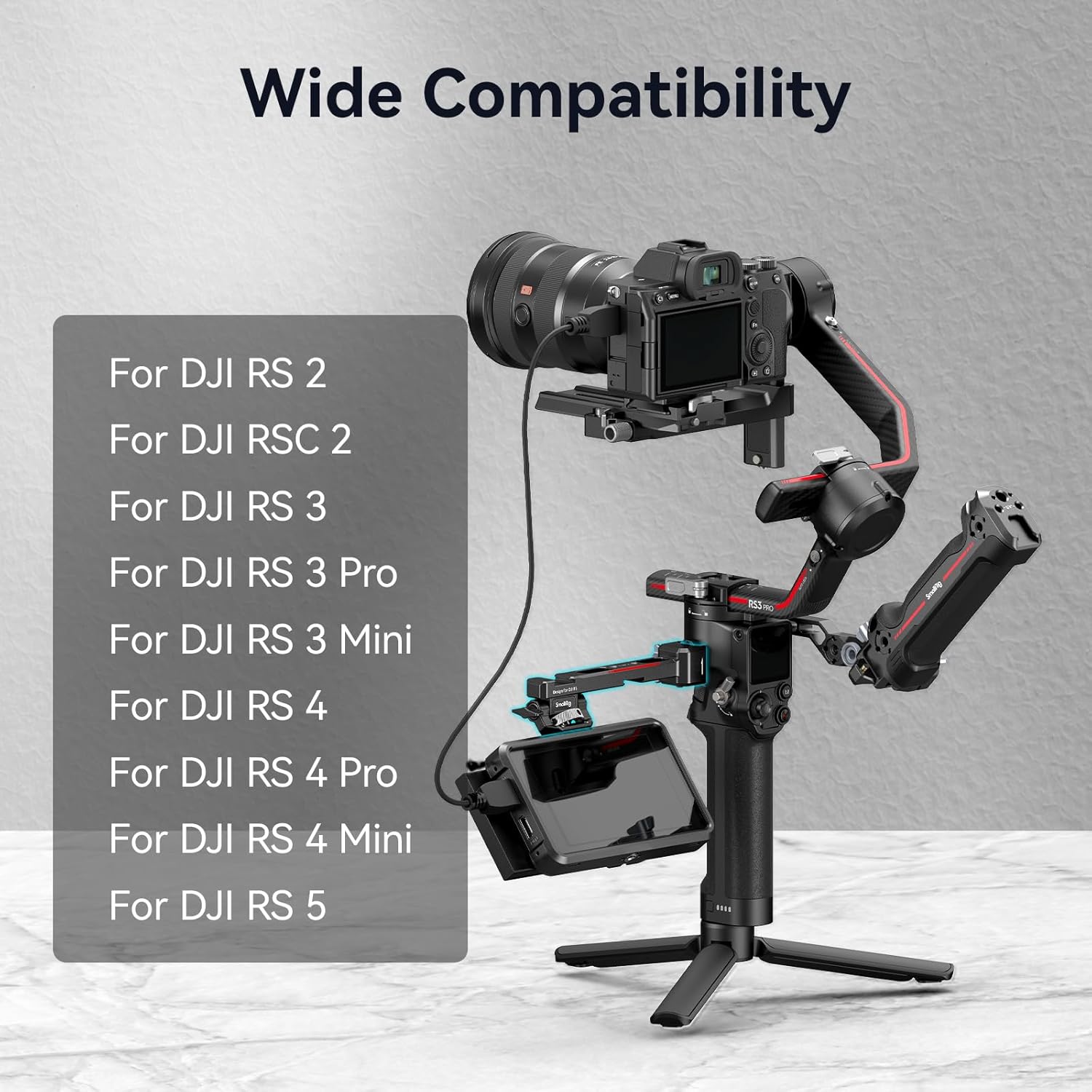
The RS 3 vs. RS 4 compatibility question comes up repeatedly in B&H Photo Video buyer Q&A threads for NATO monitor mounts. Both DJI RS 3 and RS 4 handles accept NATO rail accessories — DJI’s focus handle and extension rods use the same interface. Operators consistently recommend confirming rail width clearance if adding a NATO handle alongside other accessories on the same rail section, since stacking multiple NATO-clamped accessories can create spacing conflicts depending on the clamp body width.
NATO Quick-Release: Best For Gimbal and Fast-Turnaround Production
NATO quick-release mounts occupy the premium tier of the monitor mounting ecosystem — not necessarily because of cost, but because they solve a specific professional problem that the other two systems cannot. If your shooting day involves frequent gimbal transitions, fast reconfiguration between setups, or a multi-operator workflow where the monitor needs to come on and off the rig repeatedly, the NATO system is the correct infrastructure to build around. The standardized interface also means your investment transfers across rigs as your equipment changes.
SMALLRIG
$35.19
In stock on Amazon
Check price on AmazonSingle-Knob vs. Multi-Knob: Does It Actually Matter?
Premium Beat’s guide to camera monitor mounting flags the single-knob versus multi-knob distinction as a workflow consideration rather than a security question. A properly torqued single-knob design is mechanically equivalent to a properly torqued dual-knob design under the same load. The failure mode on multi-knob systems is operator error under time pressure — sequential tightening means operators under deadline consistently report partially tightening one knob while the other is still loose, resulting in drift mid-take.
A single-knob design eliminates that failure mode because there is only one thing to tighten. The tradeoff is that a single knob sometimes requires more torque to fully lock than tightening two smaller knobs independently, and the feel of “fully tightened” is less intuitive until you’ve worked with the specific mechanism. If you’re shooting in a controlled environment with time to set up between takes, multi-knob systems present no practical disadvantage. If you’re repositioning your monitor between every setup on a documentary shoot, the single-knob design reduces the chance of a mid-take droop through operator error alone.
Mount Type Comparison At a Glance
| Mount Type | Typical Payload | Repositioning Speed | Ecosystem Lock-in | Best Context |
|---|---|---|---|---|
| Cold Shoe | ~500 g | Instant | Low — universal | Lightweight mirrorless, vlog |
| Magic Arm | ~1.5 kg | Moderate | Low — universal | Off-axis, distance, unusual angles |
| NATO QR | ~1–1.5 kg | Fast (lever) | Moderate — NATO std | Gimbal, fast-turnaround production |
Frequently Asked Questions
Can I use a cold shoe monitor mount on a DJI RS 4 or RS 5 gimbal handle? The DJI RS 4 and RS 5 handles include a standard cold shoe slot on the grip, so yes — a cold shoe monitor mount will physically attach. The practical constraint is weight and gimbal balance. Adding a monitor to the handle side changes the rig’s center of gravity and requires rebalancing. Operators documented in B&H Photo Video buyer Q&A threads consistently recommend keeping the monitor under 300 grams if mounting via cold shoe on a gimbal handle, or switching to a NATO quick-release mount on a NATO handle extension for better control over where that mass sits relative to the gimbal’s balance point.
What is the maximum monitor size these mounts can hold securely? Size is less relevant than weight and where the mass sits relative to the locking joint. Based on manufacturer-rated payloads documented at B&H Photo Video, most magic arms handle monitors up to 7 inches (typically under 600 grams unboxed) without issue. For monitors 7 inches and above, a Rosette arm or a dual-support mounting solution is the more conservative choice. Cold shoe mounts should not be trusted with monitors above 400–500 grams once accessories and cable tension are factored in.
Does a NATO quick-release monitor mount fit both RS 3 and RS 4 handles? Published specifications for DJI RS 3 and RS 4 NATO handle accessories confirm the same rail cross-section across both generations. Operators recommend confirming accessory spacing on the rail if running multiple NATO-clamped accessories simultaneously, as clamp body widths vary between manufacturers and can create clearance conflicts.
Is a single-knob tightening system as secure as a multi-knob system? Yes — when fully tightened, single-knob designs hold as well as multi-knob designs under equivalent loads, as noted in Premium Beat’s monitor mounting guide. The single-knob advantage is eliminating partial-tightening errors under time pressure. The tradeoff is that the “fully locked” feel requires some familiarity with the specific mechanism before it becomes intuitive.
Will these mounts work with monitors heavier than 500 grams without drooping? Cold shoe mounts are the weakest link here — most are rated at or below 500 grams, and B&H Photo Video buyer Q&A threads consistently document creep with heavier monitors, especially when cable tension adds lateral load. Magic arms rated at 1.5 kg handle 500-gram-plus monitors reliably when the knob is fully torqued. NATO quick-release mounts at the intermediate tier are rated to approximately 1–1.5 kg. For monitors above 500 grams, a magic arm or NATO mount is the documented safer choice; cold shoe at that weight requires extra care and a quality mount with a positive-lock thumbscrew.
The Decision Rule
Here is the framework based on your shooting context:
- If you’re on a gimbal and repositioning your monitor frequently: NATO quick-release is the correct system. The lever release and standardized rail interface are built for exactly this workflow, and operator feedback documented across B&H Photo Video confirms it.
- If you need to position a monitor off-axis, at distance, or at an unusual angle: A magic arm gives you positioning range that no other mount type matches. Budget for the learning curve on the center joint, and consider a Rosette arm if the monitor is heavy or you’re repositioning under time pressure.
- If you’re running a lightweight mirrorless setup in a documentary or vlog context and the monitor lives above the camera: Cold shoe is fast, minimal, and sufficient — just verify your monitor’s weight is under the mount’s rated payload with accessories attached.
Your next step: check the payload spec of the monitor you’re currently running or evaluating — including the sun hood and any cable strain — against the rated capacity of the mount you’re considering. That single number resolves most monitor droop complaints before they happen on set.